Splitsby weight, between any targets.
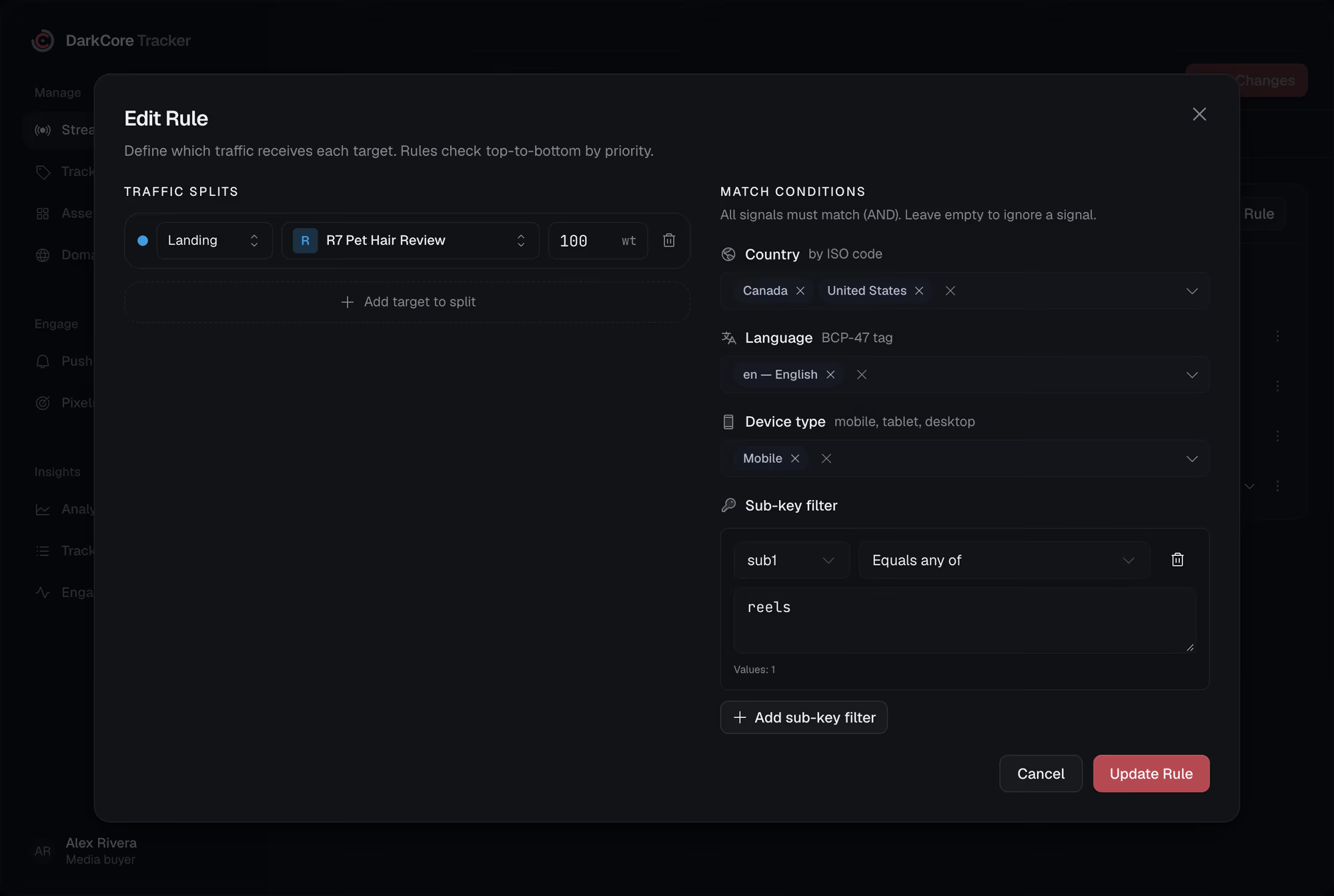
Each rule sends its traffic to one target or several. A split gives every target a weight, and the tracker picks one per click in that proportion.
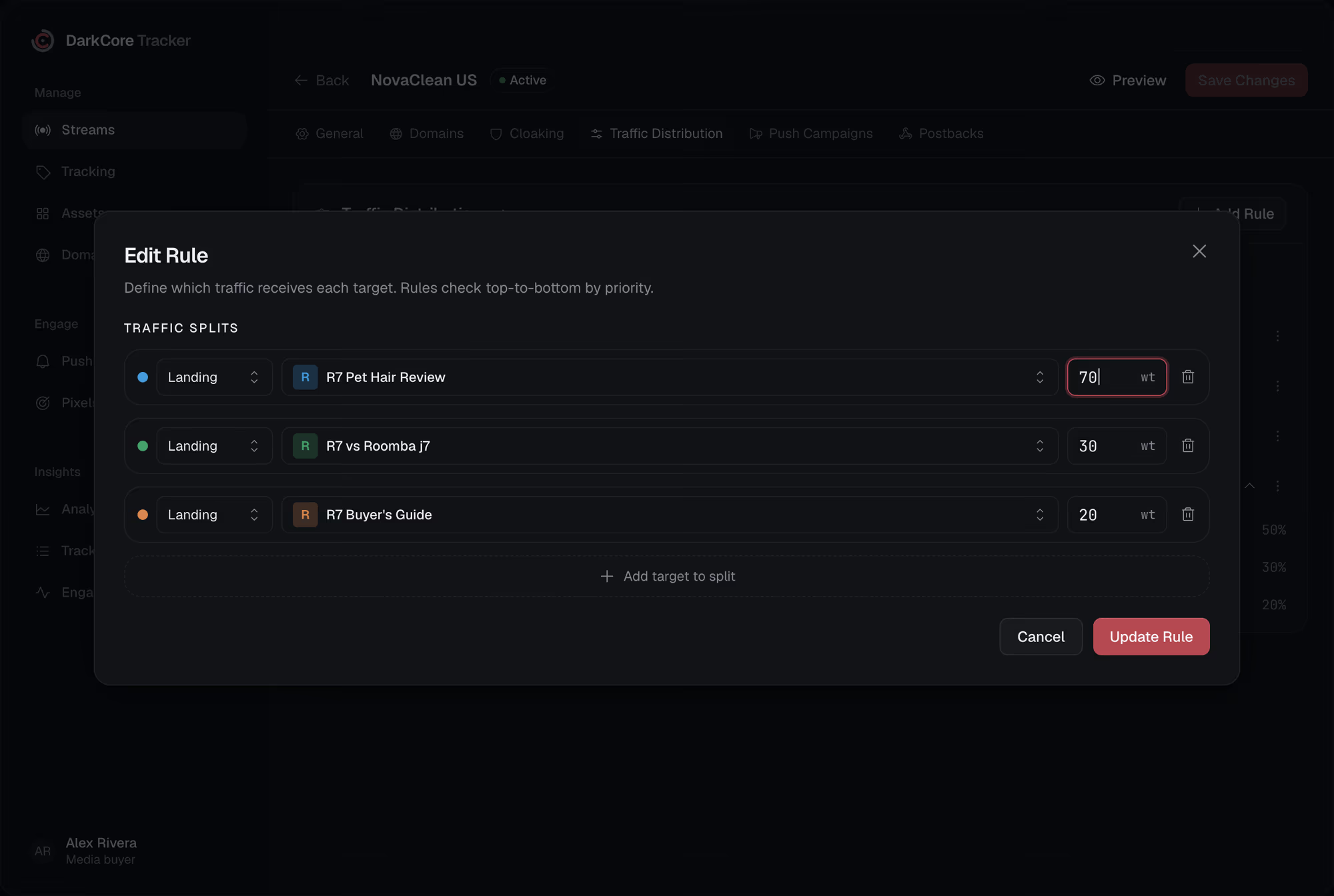
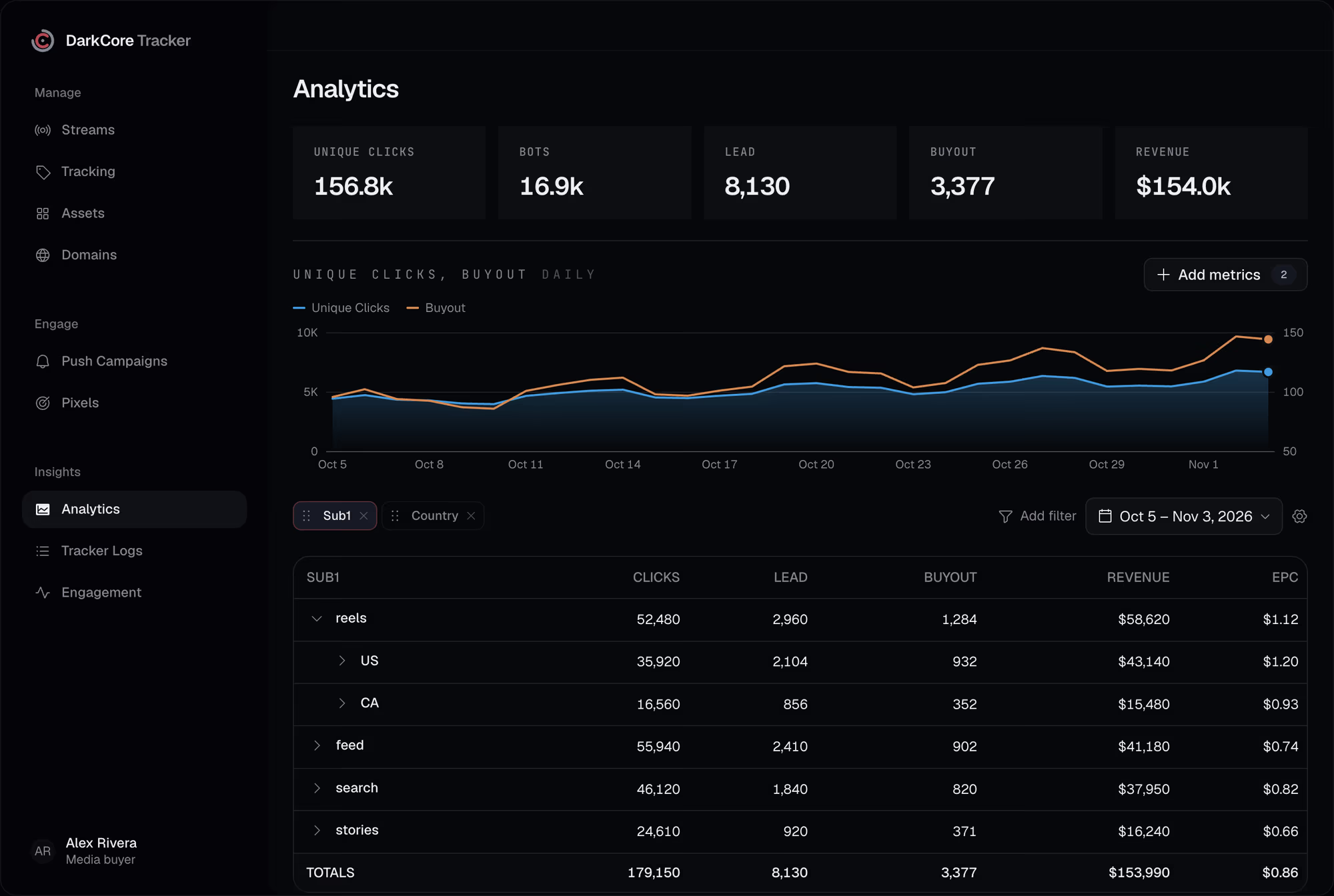
Two landers, one link, and a spreadsheet to guess which of them earned the leads.Here the rule splits the traffic and the report puts the landers side by side.
Any target, its own weight.What a split can hold.
Landers, offers and links
A split target is a lander, an offer, a direct link, a PWA or any URL. Each can have its own prelander.
Weights, not percentages
Type 70, 30 and 20; the bar and the shares follow. A target with weight 0 gets nothing.
A visitor keeps their branch
A device that comes back goes to the same target for 90 days, so a test is not spoiled by re-rolls.
Results side by side
Group a report by target, lander or offer and compare clicks, conversions and revenue per branch.
The shares, in the row.No need to open the rule.
A split rule opens in place to show each target with its share of traffic, in the colour of its bar.

Questionsabout this feature.
Does the tracker move weights by itself?
No. Weights stay as you set them. Read the report and change them yourself.
Can I split between offers of different networks?
Yes. An offer is a URL with macros, so offers of any network can share one split.
Will changing a weight move old visitors?
No. Visitors who already have a branch keep it; new visitors get the new weights.
Give every click its route.
Write to us in Telegram. We will show the tracker on your own streams.