Bot filterbefore the offer, not after.
Every stream has its own mode: None, Standard or Strict. The filter runs before any rule, so a bot never takes a lander's slot or an offer's click.
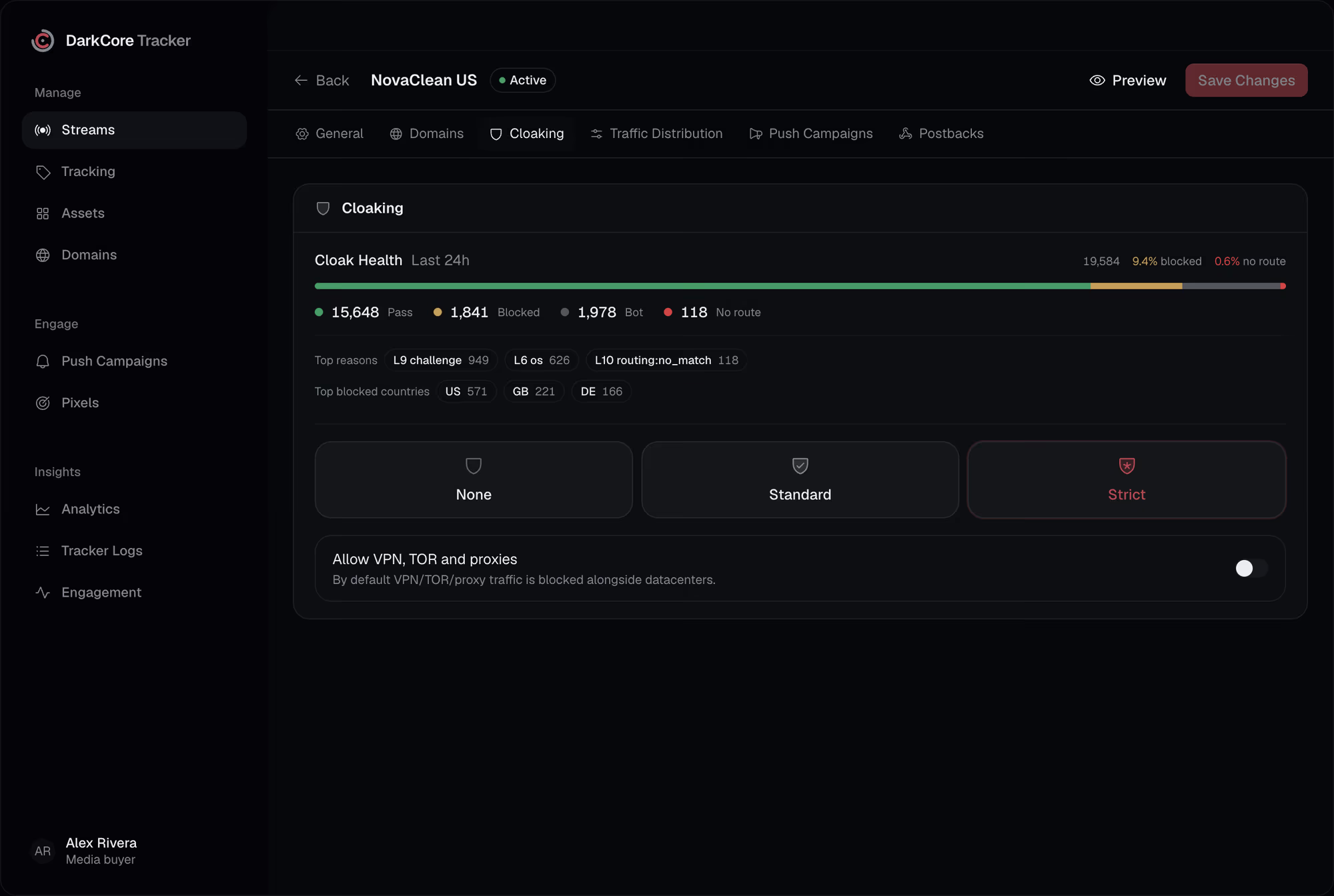
Bots and datacenter clicks land on the offer, and the network wonders why your conversion rate fell.Here they stop at the door, and each one is logged with the layer that stopped it.
Three modes.What each one checks.
Standard
Known bot signatures, datacenter and hosting IPs, VPN, TOR and public proxies, the stream's allowed OS if you set them, and a check that the browser's platform matches its user agent.
Strict
All of Standard, plus a short check in the browser that headless and automated browsers fail, and an ad click ID that must match where the click came from.
None
No bot checks: every click goes on to the rules. Useful for a source you trust or a test.
VPN, TOR and proxies
Blocked with datacenters by default. One switch lets them in for a stream whose audience uses them.
Bursts from one device
In Standard and Strict, a device that clicks too fast is sent to the browser check, and a flood is stopped.
Questionsabout this feature.
Is a blocked click counted?
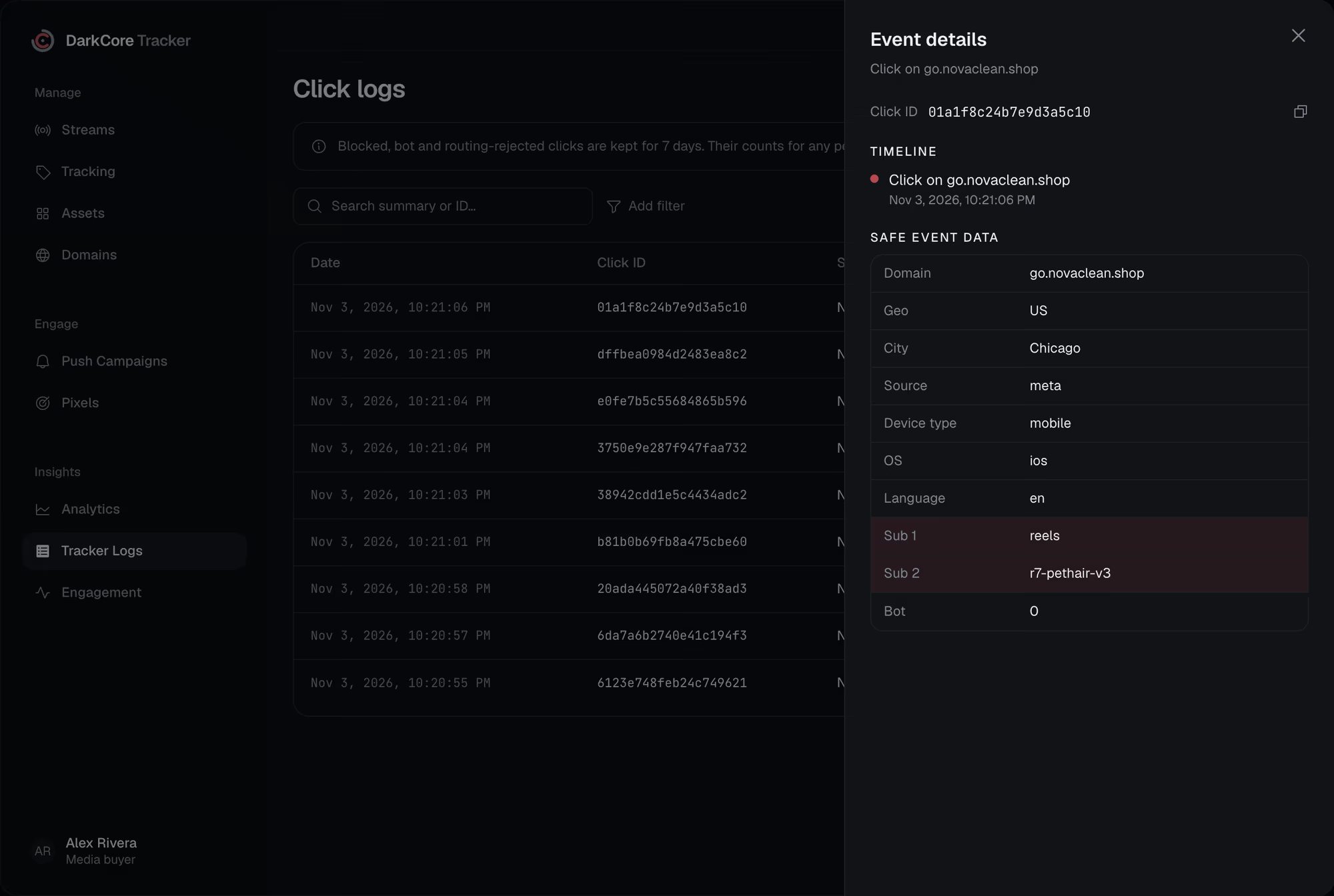
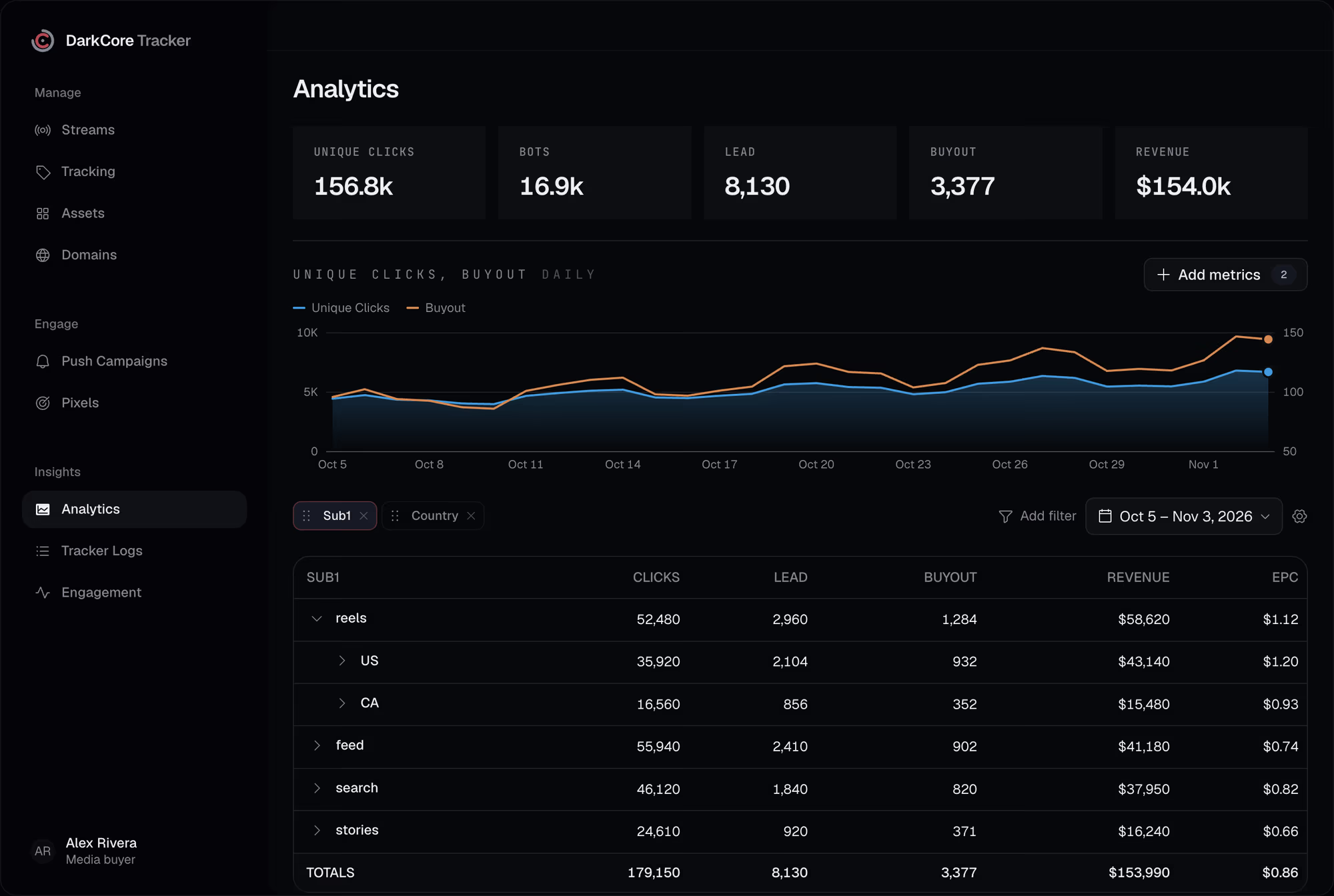
As a block, not as a click. Reports count bots and blocked clicks apart from the traffic that passed, and Tracker Logs keeps each one for seven days.
How do I see what was blocked?
Cloak Health on the stream shows let in, blocked, bot and unrouted clicks for the last 24 hours, with the top reasons and countries. Tracker Logs shows each click with its layer.
Does Strict slow the visitor down?
Only the first visit gets the browser check. A visitor who passed it carries a signed cookie and goes straight on.
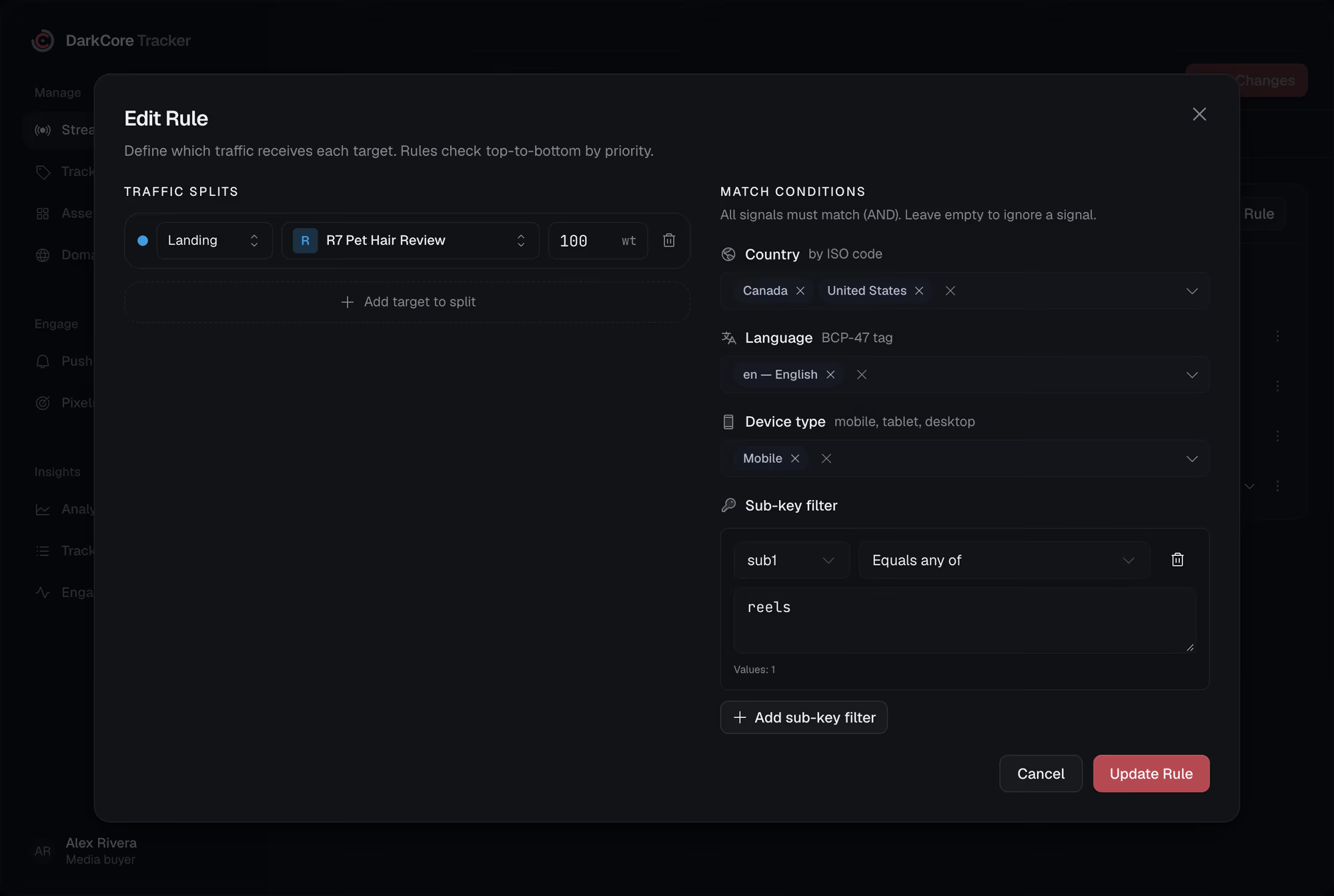

Give every click its route.
Write to us in Telegram. We will show the tracker on your own streams.