Click logsevery click with what it carried.
Tracker Logs lists clicks, installs, conversions and deliveries as they come in. Open one to see everything the tracker knew about it.
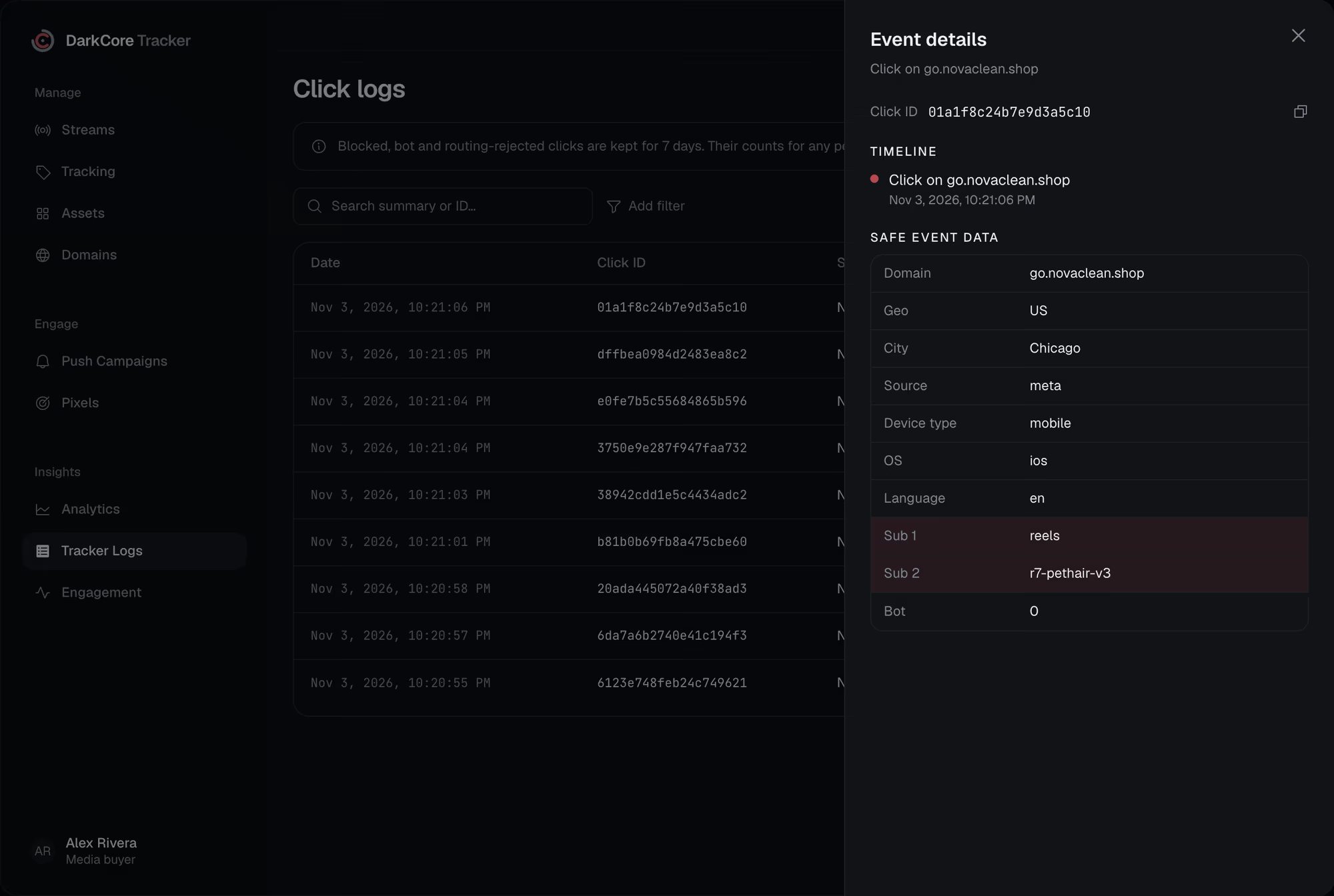
A network says a lead came in, and nobody can say which click it was.Here you search its click_id and see where it came from and where it went.
One row per click.What a row tells you.
Where it came from
Domain, source, country and city, and the ad click ID it brought: fbclid, ttclid, gclid and others.
What it was
Device type, OS and version, browser and language, and a bot flag.
Its subs
All ten subs and the UTM tags, as they arrived in the link.
What the filter said
Pass, blocked or bot, with the layer that decided. Blocked clicks stay for seven days.
Search, filter, sort.Find the one click.
Search by click ID or text, add filters and sort by any column: geo, OS, subs, filter result.

Questionsabout this feature.
What is a click_id?
A short ID the tracker gives every click and signs. Pass it to the network with {click_id} in the offer link, and the network sends it back in the postback.
How long are clicks kept?
Passed clicks are in reports for 180 days. Blocked, bot and unrouted clicks stay in Tracker Logs for seven days, and their counts stay in reports.
Are conversions in the log too?
Yes. Tracker Logs also lists conversions, installs, pixel events and postback deliveries next to the clicks.
Give every click its route.
Write to us in Telegram. We will show the tracker on your own streams.